
JPEG Quality for Printing: 100, 96 or 90? Tested on Our Own Maps
Until October 2026 every file we sold was a JPEG at quality 100. It is the safest setting there is — and it doubles the download. So we stopped assuming and measured: two of our own restored maps, compressed at seven quality levels, compared pixel by pixel and by eye at three times enlargement.
What the number means
JPEG quality is a setting of the encoder, not a percentage of the picture that survives. At 100 the encoder keeps almost everything it can; every step down lets it round off a little more of the finest detail, which on an old map means the paper grain and the edges of the engraved line.
The second setting matters as much: chroma subsampling. Most cameras and websites store colour at half resolution (4:2:0). On a hand-coloured map that softens the edge of every wash. Our files keep colour at full resolution — 4:4:4 — at every quality level.
The test
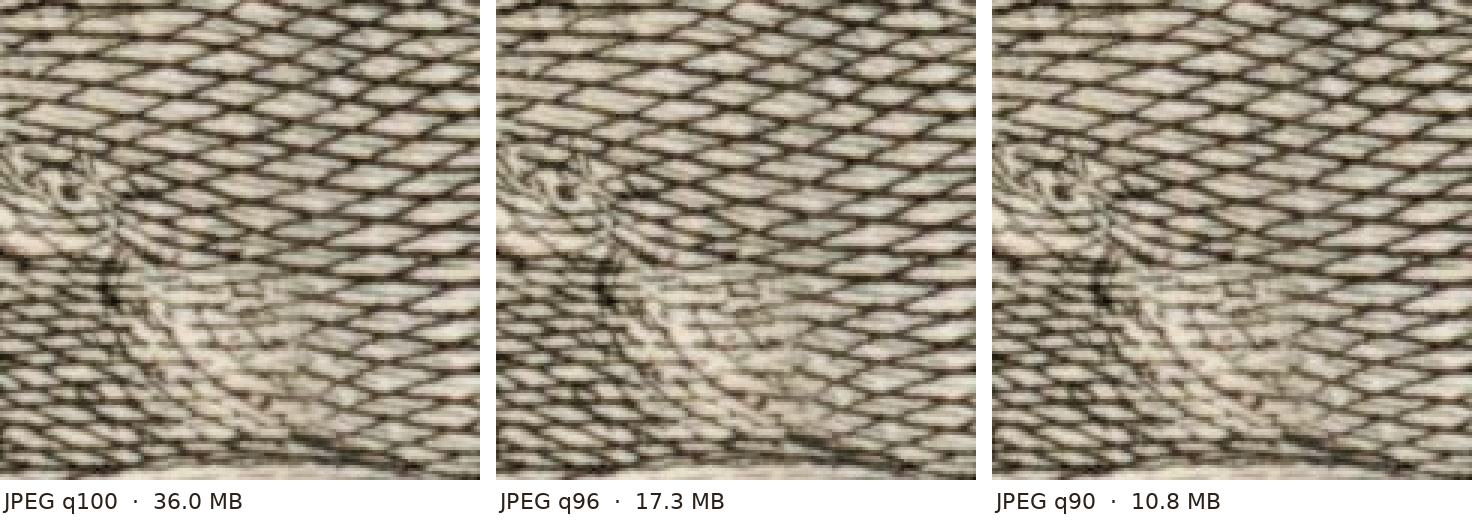
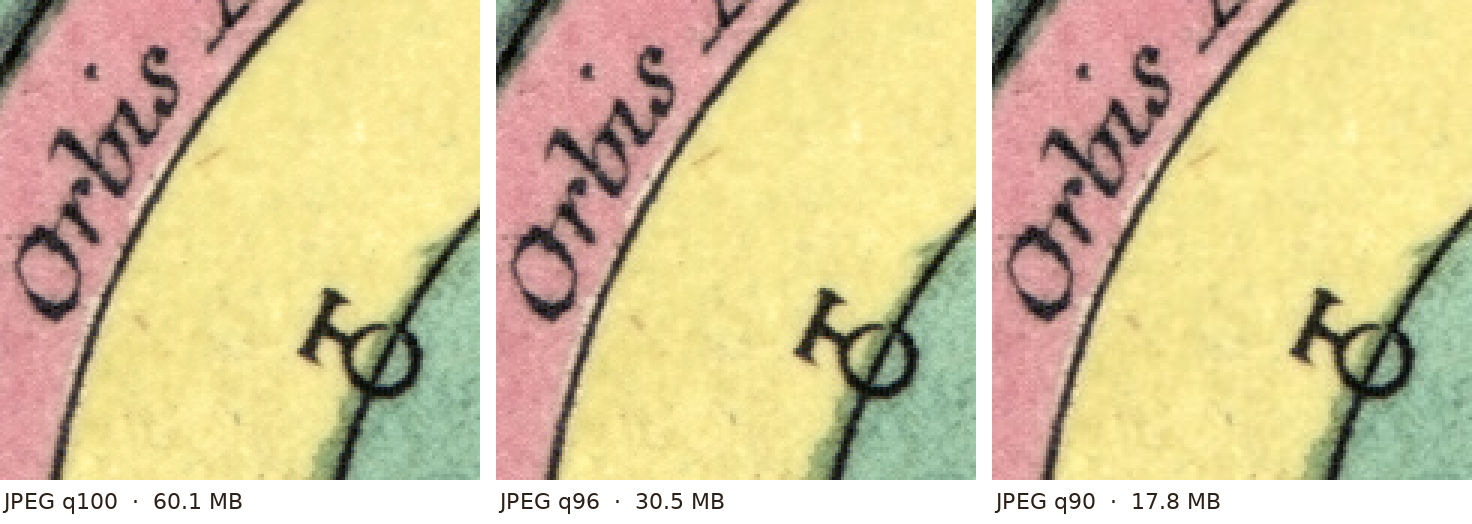
The whole sheet of a hand-coloured star chart (Lotter, Augsburg, c. 1772; 6987 × 5828 pixels) was saved at each level from the restored master, then compared with that master. The second map, Vaugondy’s Mappemonde of 1752, an uncoloured engraving with very dense hatching, behaved the same way: 36.0 MB at quality 100, 22.0 MB at 98, 17.3 MB at 96, 10.8 MB at 90.
| Quality | File size | Closeness to the master (PSNR) | Largest single-pixel difference |
|---|---|---|---|
| 100 | 60.1 MB | 50.4 dB | 5 |
| 98 | 40.7 MB | 44.2 dB | 14 |
| 96 | 30.5 MB | 39.9 dB | 28 |
| 94 | 24.0 MB | 37.6 dB | 41 |
| 92 | 20.1 MB | 36.2 dB | 49 |
| 90 | 17.8 MB | 35.3 dB | 48 |
| 85 | 14.2 MB | 33.9 dB | 56 |
PSNR: higher is closer; from about 40 dB up differences are below what the eye separates at normal viewing. The largest difference is one pixel out of 40 million, on a scale of 0–255.
What it looks like
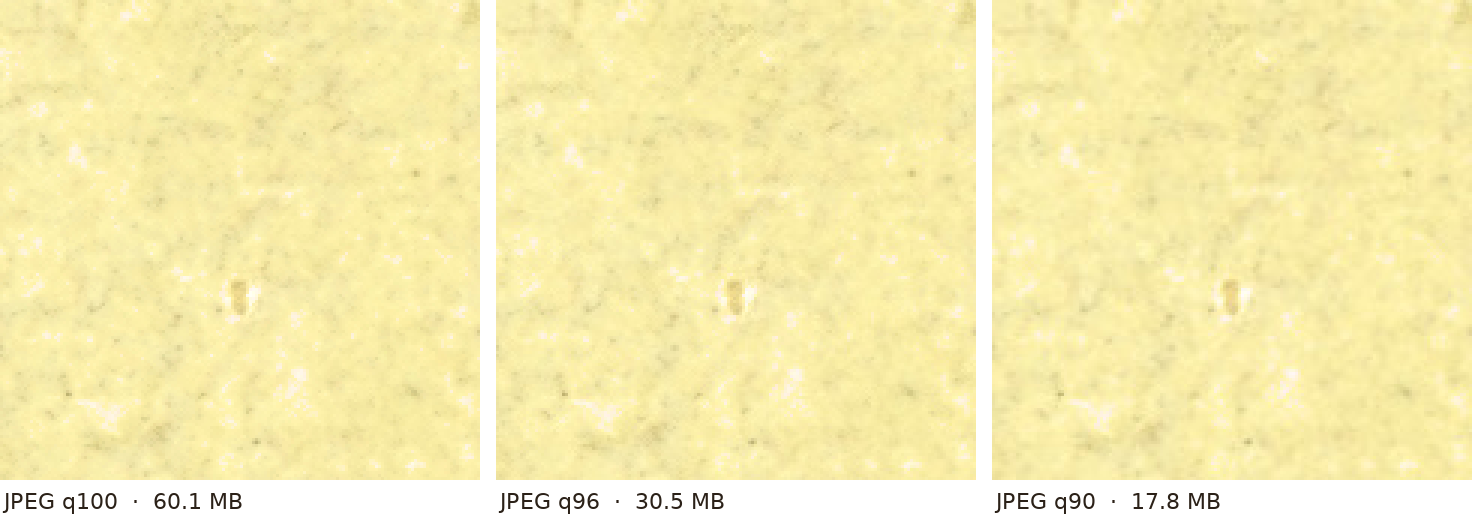
Each strip shows the same spot at three times enlargement — far closer than anyone looks at a print. Left to right: quality 100, 96 and 90.
What we found
Between 100 and 96 we could not point to a difference in any of the five places we checked: engraved hatching, lettering, hand colour, dotted lines and paper grain. The file is half the size.
At 90 the line and the lettering still hold, but the finest paper grain under a pale wash starts to smooth out. Below 90 that becomes visible to a careful eye.
The largest pixel difference at 96 — 28 levels out of 255 — sits on isolated pixels at the edge of dark lines. At 300 dpi one pixel is 0.085 mm on paper; no printer reproduces it as a separate dot.
What we deliver now
Quality 96, colour at full resolution (4:4:4), sRGB with the profile embedded, 300 dpi. The invisible mark that identifies our files survives with a large margin. Each download is about half as heavy as before, which matters on a phone and on a slow line, and we keep the setting that showed no visible loss rather than a smaller one that did.
What this means for your print
- Send the file to the print shop as it is. Ask them not to re-save it as JPEG and not to apply auto-sharpening.
- If you want to edit the file — crop it, add a title — save your edited version as TIFF or PNG. Every new JPEG save rounds the detail again.
Read next: What 300 dpi actually gives you · Where to print your map.